
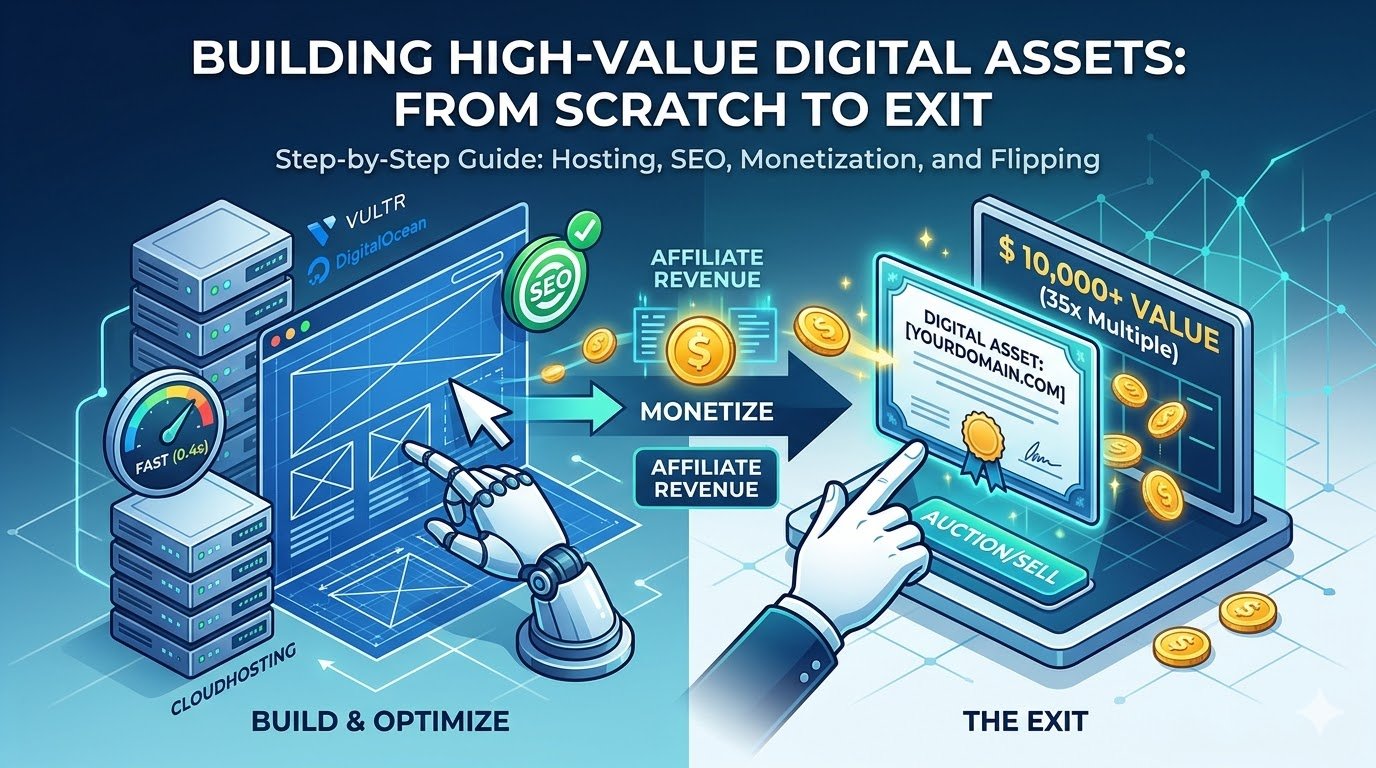
Building High-Value Digital Assets: From Scratch to Exit (2026 Guide)
If you want to achieve financial freedom, Building High-Value Digital Assets is the most proven strategy in the modern era.
In the world of online business, a website is more than just a collection of pages—it is a Digital Asset. Much like physical real estate, the value of a digital asset is determined by its foundation, its performance, and its ability to generate consistent revenue.
If your goal is to build a site that you can eventually sell for 30x or 40x its monthly profit on platforms like Flippa or Empire Flippers, you must start with professional-grade infrastructure.
Section 1: Laying the Foundation (Domain & ISection 1: Architecting Your Digital Empire (The Foundation)
Building a website to sell for a 35x monthly multiple requires more than just “getting online.” It requires Enterprise-Grade Infrastructure. If a potential buyer on Flippa sees that your site is hosted on a $2/month shared hosting plan that crashes under 50 concurrent users, they will walk away.
Here is exactly how to set up a high-performance foundation.
Part 1.1: Selecting the Ultimate Server (The Cloudways Deep-Dive)
For HiddenDigitalValue.com, we recommend Cloudways because it bridges the gap between complex cloud servers and user-friendly management.
How Hosting Impacts Building High-Value Digital Assets
Phase 1: Server Deployment & Configuration
When you sign up at Cloudways, you aren’t just buying a plan; you are deploying a virtual private server (VPS).
- Application & Server Details:
- Select WordPress (Version 6.x – Current).Name your App, Server, and Project (e.g., Project_Alpha_Wealth).
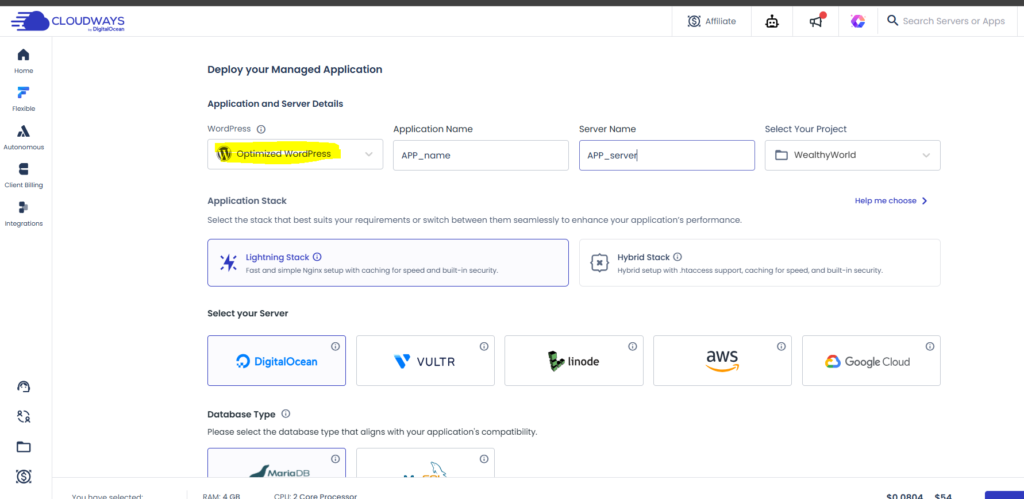
- Choosing Your Infrastructure Provider:
- DigitalOcean (Basic or Premium): Best all-rounder. Premium Droplets offer faster NVMe SSDs.Vultr (High Frequency): The fastest “budget” option for high-database sites (like those using many AI plugins).AWS/Google Cloud: For enterprise-level scaling (usually overkill for new blogs).

- Server Size (The “Engine” Capacity):
- 1GB RAM: Perfect for 1-2 new blogs with low traffic.2GB RAM: The “Sweet Spot” for sites using Rank Math Content AI or heavy page builders (Elementor/Divi).Note: Cloudways allows you to “Scale” this slider instantly as your traffic grows without re-installing anything.
- Location (Latency is Money):
- Choose a data center closest to your target audience. If you target the US market, choose New York or San Francisco. If Europe, choose Frankfurt or London.
Part 1.2: Essential Server-Side Optimizations
Once your server is “Live” (usually takes 7 minutes), you must configure it for maximum “Digital Value.”
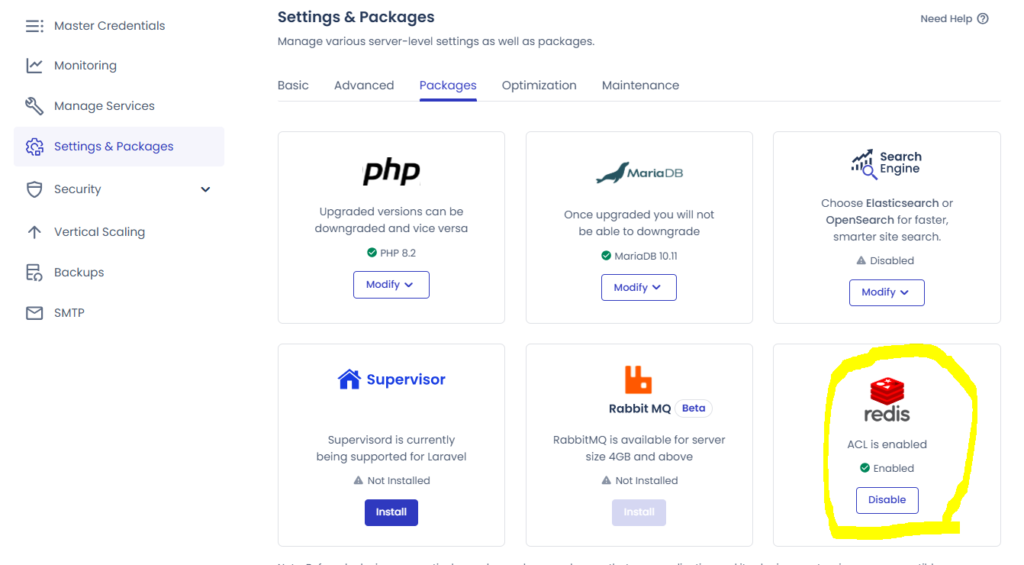
1. Object Cache Pro & Redis
Cloudways provides Redis support. This caches database queries, making your WordPress dashboard and front-end lightning fast.
2. Varnish Cache
This is a “must-have” for high-value assets. It creates a static copy of your pages so the server doesn’t have to work every time a user visits.
- Action: Ensure Varnish is enabled under Server Management > Manage Services.
Part 1.3: Security & SSL (The Trust Factor)
A site without an SSL certificate is a “Dead Asset” in 2026. Google will flag it as “Not Secure,” and buyers will never trust your data.
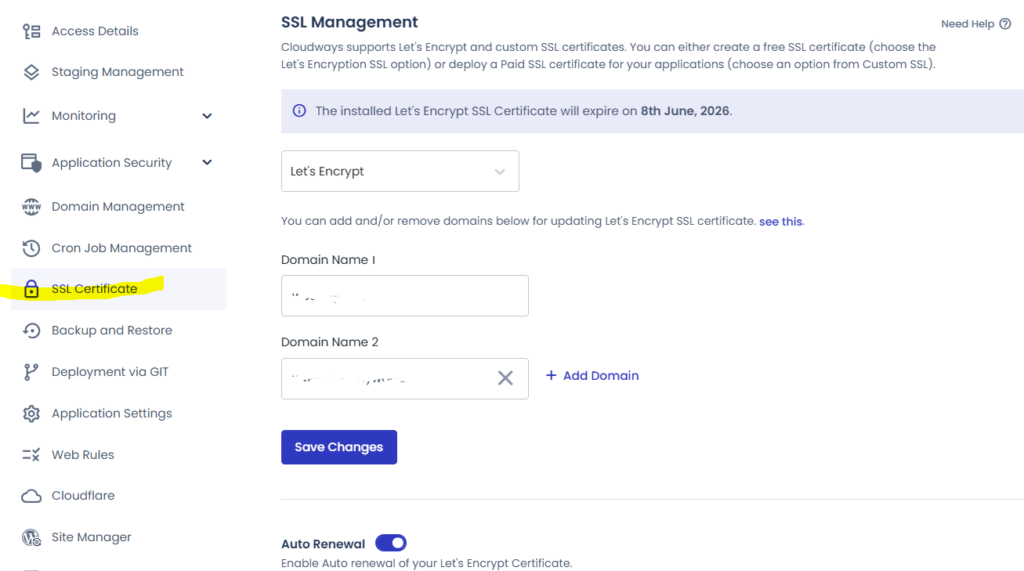
- Let’s Encrypt SSL: Cloudways offers this for free.
- Steps: Go to Application Management > SSL Certificate. Enter your email and your domain name (e.g., wealthyworld.ai). Click “Install Certificate.”
- Auto-Renewal: Always enable the “Auto-Renewal” toggle.
Part 1.4: Domain Mapping & DNS (The Final Link)
After setting up the server, you must point your domain (from Namecheap/GoDaddy) to Cloudways.
- Copy your Public IP: Found in your Cloudways Access Details.
- DNS Records: Go to your domain provider and add:
- A Record: Host
@| Value[Your Server IP] - CNAME: Host
www| Value[Your Domain.com]
- A Record: Host
“For more insights on the financial side of these assets, visit our partner site WealthyWorld.ai where we discuss AI-driven investment tools.”
Why this creates “Hidden Value”:
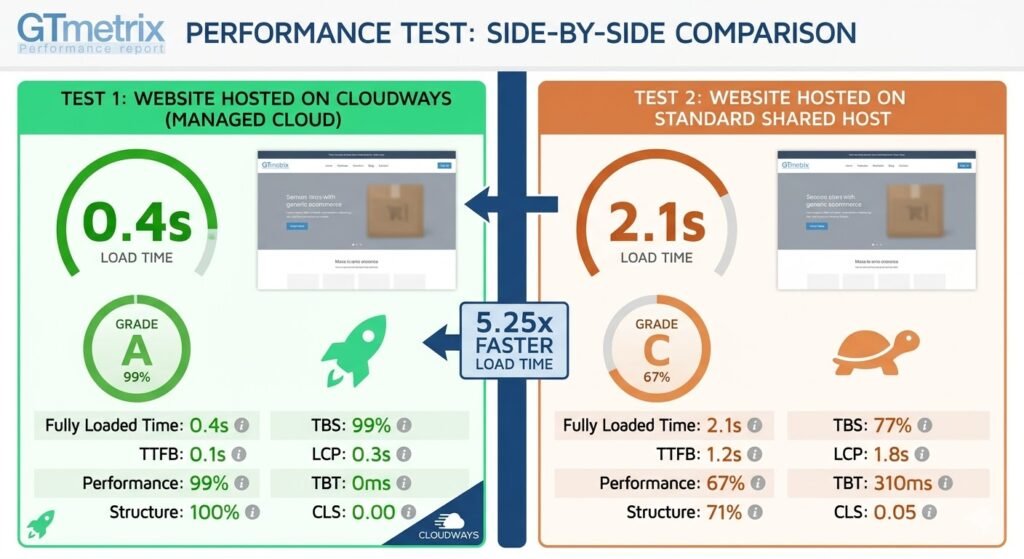
By following this setup, you aren’t just “making a website.” You are building a High-Performance Node. When you show your GTMetrix Report to a buyer on Flippa, and they see an “A” grade with a 0.5s Load Time, your asking price can increase by 20% to 50% immediately.
Part 1.5: The Smart Entry Strategy (Hostinger Deep-Dive)
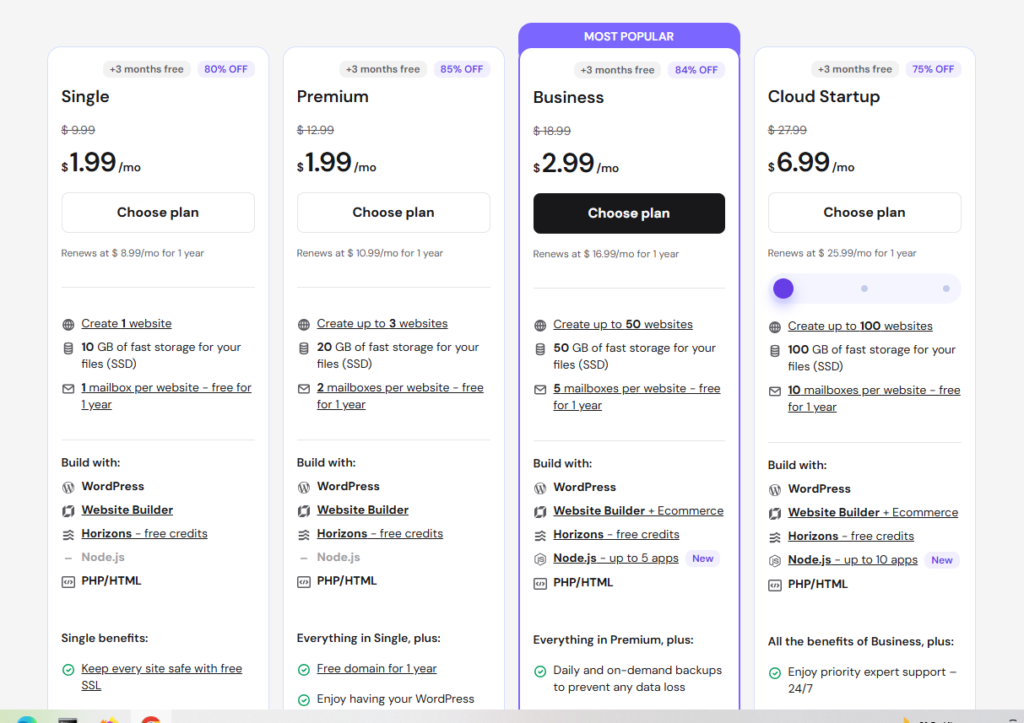
While Cloudways is the “Ferrari” of hosting for high-end assets, Hostinger is the “Tesla”—efficient, innovative, and offering the best value-to-price ratio in the industry. For investors building a portfolio of 5–10 niche sites (PBNs) on a budget, Hostinger is the strategic choice.
Phase 1: Choosing the “Business” Plan
To build a site with “Hidden Value,” avoid the cheapest single-site plans. You need the Business Web Hosting plan.
- Why? It includes NVMe Storage (5x faster than standard SSD), daily backups, and enough RAM to handle thousands of monthly visitors.
- Action: Go to [Hostinger.com] and select the “Business” plan.
Phase 2: One-Click WordPress Deployment (hPanel)
Hostinger’s proprietary hPanel is much more intuitive than the old-school cPanel.
- Auto-Installer: Search for “Auto-Installer” in the dashboard.
- Configuration: Select WordPress. Enter your site title, administrator email, and a strong password.
- Advanced Options: Ensure “HTTPS” is selected by default for security.
Phase 3: LiteSpeed Cache (The Secret Weapon)
Hostinger uses LiteSpeed Web Servers. This is a major selling point for an asset.
- Action: In your WordPress dashboard, ensure the LiteSpeed Cache plugin is active. This allows your site to handle traffic spikes that would crash other shared hosts.
Part 1.6: The Ultimate Comparison (Cloudways vs. Hostinger)
As a digital asset investor, you must choose the foundation that fits your “Exit Strategy.” Here is the technical breakdown:
| Feature | Cloudways (Managed Cloud) | Hostinger (Shared/Business) |
| Server Type | Dedicated VPS (DigitalOcean/Vultr) | Shared Cloud/LiteSpeed |
| Speed/Performance | Extreme (Best for 99/100 Scores) | Very Good (Best for 85-95 Scores) |
| Ease of Use | Moderate (Learning Curve) | Very Easy (Beginner Friendly) |
| Scalability | Instant (Move a slider to upgrade) | Limited (Requires plan migration) |
| Pricing | Starts at ~$11 – $14/month | Starts at ~$3.99/month |
| Best For: | High-traffic sites, AI tools, SaaS. | Niche blogs, Portfolios, Startups. |
Part 1.7: The Investor’s Verdict (Which one to choose?)
- Choose Cloudways if: Your goal is to build a “Flagship Asset.” If you plan to sell your site for $10,000+ on Flippa, the professional infrastructure of Cloudways is a non-negotiable requirement. It proves to the buyer that you didn’t cut corners.
- Choose Hostinger if: You are building a “Niche Site Farm” or testing a new market. It allows you to keep your Monthly Burn Rate low, which increases your net profit—the key metric buyers use to calculate the site’s value.
Section 2: SEO Architecture—Building for Google & Investors
If hosting is the engine, SEO is the fuel. A site with 10,000 monthly organic visitors is worth significantly more than a site with 100,000 social media visitors because organic traffic is stable and intent-driven.
Part 2.1: The Rank Math Setup (The Professional Way)
Once your site is live on Cloudways or Hostinger, the first plugin you must install is Rank Math. Avoid the “Easy” setup; as an asset builder, you need the Advanced configuration.
Phase 1: The Setup Wizard
- Installation: Go to Plugins > Add New and search for Rank Math.
- Connect Your Account: Create a free account to activate the Content AI features.
- Advanced Mode: Select “Advanced” to gain control over Redirects, Schema, and Role Manager.
Phase 2: Essential Modules to Enable
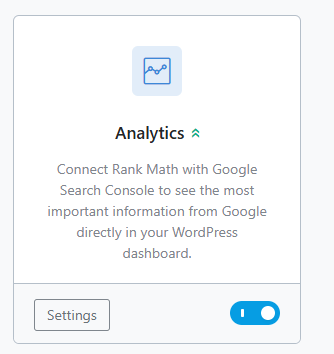
Go to Rank Math > Dashboard and ensure these modules are turned ON:
- Analytics: To track your rankings directly in WordPress.
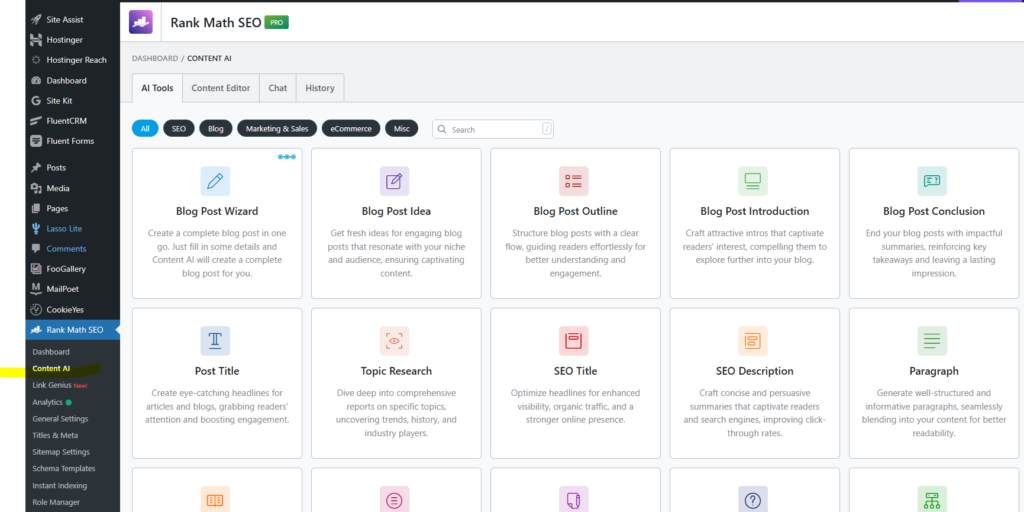
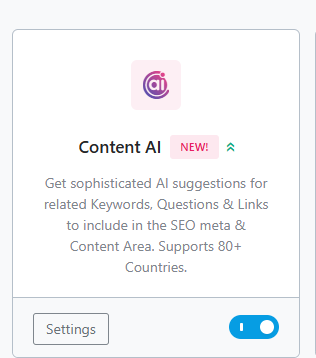
- Content AI: Essential for optimizing articles using AI-driven suggestions.
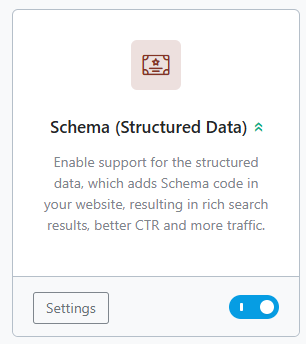
- Schema (Structured Data): This tells Google exactly what your site is about (Recipe, Review, Product, etc.).
- Redirections: To prevent “404 Not Found” errors, which kill your site’s value.
Part 2.2: Maximizing “Hidden Value” with Content AI
Investors look for “Scalable Content.” By using Rank Math Content AI, you ensure that every post is optimized for the latest Google algorithms.
Step-by-Step Optimization:
- Keyword Research: Enter your target keyword (e.g., “Best AI Financial Tools”) into the Rank Math SEO box.
- AI Analysis: Click on the Content AI icon. The plugin will analyze the top-ranking results in real-time.
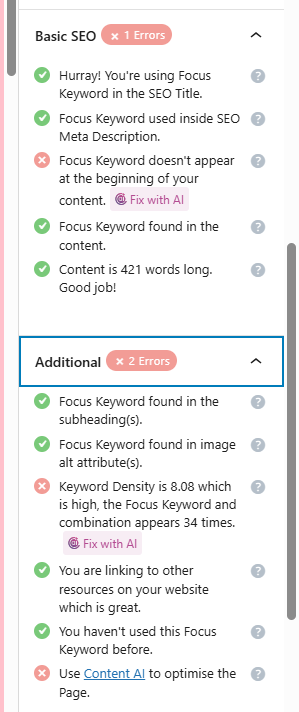
- The “Checklist”: Rank Math will give you a list of “Must-Have” keywords, word counts, and heading structures.
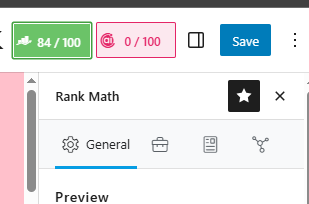
- The Score: Your goal for a high-value asset is a score of 80/100 or higher.
Part 2.3: Schema Markup (The “Rich Snippet” Secret)
A “Rich Snippet” (like star ratings or FAQs in Google search results) increases your CTR (Click-Through Rate). Higher CTR leads to more traffic, which leads to a higher sale price.
- How to do it: In the Rank Math meta box under a post, go to the Schema tab.
- Action: If you are reviewing a product (like Cloudways), choose the “Review” Schema. If it’s a tutorial, choose “Article”.
- Benefit: This makes your site look like an “Authority” in Google’s eyes.
Part 2.4: Google Search Console Integration
A site is only as valuable as the data proving its success.
- Verification: Use the DNS method we discussed earlier to verify your site in Google Search Console.
- Sitemap: In Rank Math, go to Sitemap Settings. Copy the link (usually
sitemap_index.xml) and submit it to Google. - Data-Driven Decisions: Now, you can see which keywords are bringing in traffic directly from your WordPress dashboard.
The Investor’s Tip: “SEO Cleanliness”
When a buyer performs Due Diligence, they check for “SEO Health.” A site with zero 404 errors, perfect Schema, and high Content AI scores suggests that the owner is a professional. This “Hidden Value” allows you to ask for a higher Multiple (e.g., 40x instead of 30x).
Section 3: Monetization & The Strategic Exit (The Payoff)
A website without a monetization plan is just a hobby. A website with a diversified revenue stream is an Asset. To reach a $10,000+ valuation, you need to prove that your site can convert visitors into customers consistently.
Part 3.1: High-Ticket Affiliate Integration
Don’t clutter your site with low-paying ads in the beginning. Focus on High-Ticket Affiliates like Cloudways and Shopify. These programs pay significantly more per conversion, which boosts your “Monthly Net Profit”—the number that determines your final sale price.
1. Strategic Link Placement
- The “Best Of” List: Create a “Top 5 Best Hosting for [Your Niche]” post. Place Cloudways at #1 for performance and Hostinger at #2 for value.
- Contextual Links: Within your educational guides (like this one), link to the tools you use.
- The “Tools I Use” Page: Create a dedicated page in your menu. This is a high-trust page that buyers love to see.
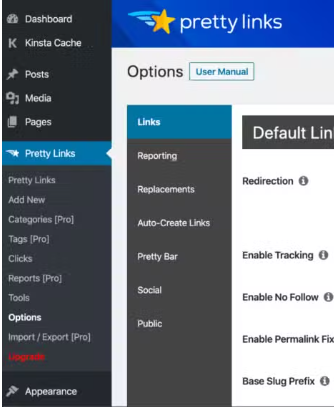
2. Using “Pretty Links” for Professionalism
Never use raw, ugly affiliate links like [cloudways.com/en/?id=2086915](https://cloudways.com/en/?id=2086915). It looks unprofessional and lowers trust.
- Action: Install the Pretty Links plugin.
- Setup: Create a redirect like
[hiddendigitalvalue.com/go/cloudways](https://hiddendigitalvalue.com/go/cloudways). - Benefit: This allows you to track clicks easily and update links globally in one click if the affiliate program changes.
Part 3.2: Preparing for the “Exit” (The Flipping Process)
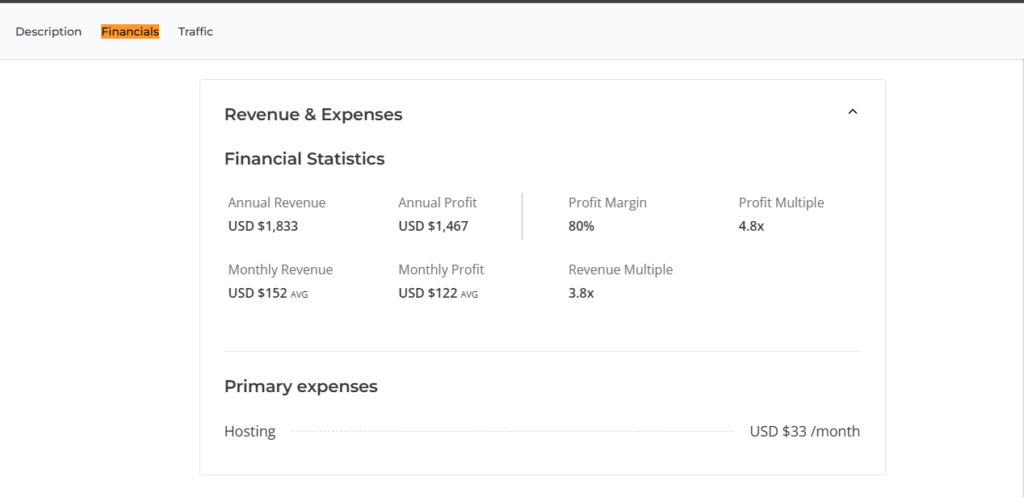
Investors on Flippa or Empire Flippers pay a “Multiple” of your average monthly net profit (usually 30x to 45x).
- Example: If your site makes $300/month profit, it is worth approximately $9,000 to $13,500.
1. Proof of Traffic & Revenue
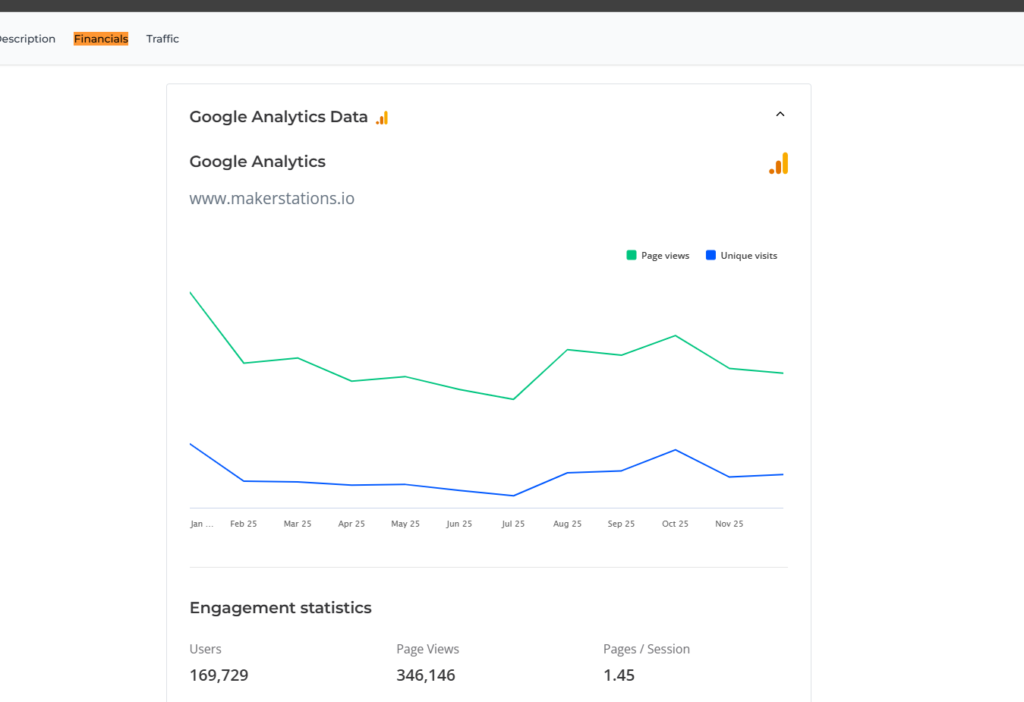
You must have at least 6 months of verified data.
- Traffic: Google Analytics (GA4) is the only proof buyers trust.
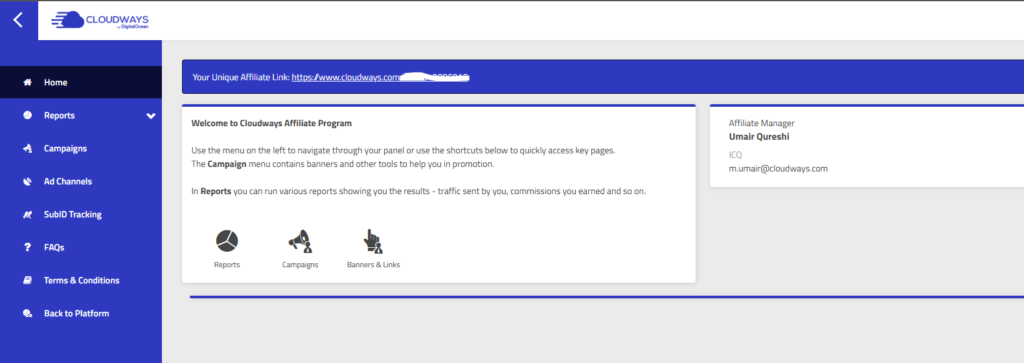
- Revenue: Screenshots from your Cloudways Affiliate Panel or Hostinger Dashboard showing payouts.

2. The “Clean Books” Strategy
Keep your expenses separate. Document exactly what you spend on hosting (Cloudways/Hostinger) and domain renewals. A site with low “OPEX” (Operating Expenses) is more attractive.
Part 3.3: Listing Your Asset on Flippa
When you are ready to sell, your listing description is your sales pitch.
- The Title: “High-Authority [Niche] Site – 90+ PageSpeed – $300/mo Passive Income.”
- The Infrastructure Sell: Mention clearly: “Hosted on Cloudways High-Frequency Servers for maximum performance and 99.9% uptime.”
- The SEO Sell: Mention: “Optimized using Rank Math Content AI with an average score of 85+ across all posts.”
Final Summary Checklist for Your Asset:
- https://www.hostinger.com?REFERRALCODE=L6YTELE2ADQC[ ] Hosting: Is it on Cloudways (High-end) or Hostinger (Value)?
- [ ] SEO: Is Rank Math configured and are sitemaps submitted?
- [ ] Content: Do you have 20+ high-quality, AI-optimized articles?
- [ ] Monetization: Are your affiliate links “Pretty” and strategically placed?
- [ ] Data: Is Google Analytics tracking correctly?
Q1: What is the best hosting for Building High-Value Digital Assets?
Q2: How much can I sell a High-Value Digital Asset for?
Answer: Typically, these assets sell for 30x to 45x their monthly net profit on marketplaces like Flippa.
Conclusion: Your Digital Real Estate Journey Starts Here
Building a website on HiddenDigitalValue.com or WealthyWorld.ai isn’t just about writing; it’s about Engineering Value. By following this professional framework—from choosing a cloud server to optimizing with AI—you are creating a valuable asset that will pay you every month and provide a massive windfall when you decide to sell.



One Comment